No. 2
From $3.69/moDreamGF
Free trial8.7/10- Chat
- Voice messages
- Voice calls
- Images
- Video
- Create your character
The Candy AI app experience starts in your browser, whether you are on a phone or at a computer. Create a free account, choose a character or make your own, then move straight into chat without installing anything.
It is built for private, personalised AI companionship: chat, voice conversations, images, videos, roleplay and adult-oriented fantasy are all part of the broader experience. Try the free account first, then decide whether Premium suits how you want to use it.
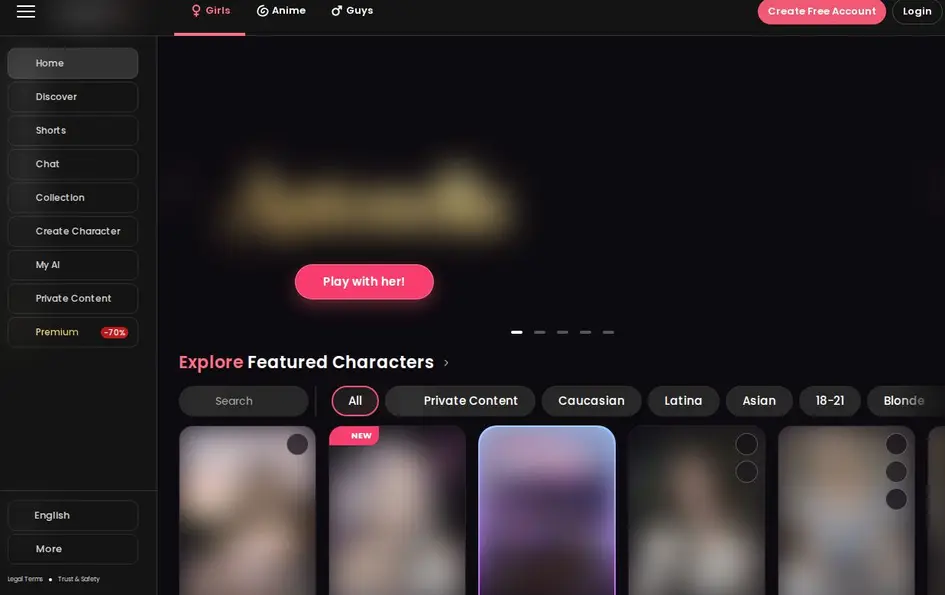
Candy AI opens directly on desktop and mobile, so there is no separate Candy AI download to manage. Sign up, log in, pick a companion and begin chatting from the same service wherever you prefer to use it.

On our phone browser, the mobile layout felt made for quick visits: a bottom bar leads to Shorts, discovery, creation, search and chats. The home screen presents a companion catalogue with filters, making it easy to browse different character styles before you commit to a conversation.
You get more than a blank chat box. Characters arrive with a premise and can take the lead: in our session, Kelsey opened with, “Hi. It’s me. The box of plates in the hallway today? I dropped it when I saw your face… we need to talk about Lisbon.” It immediately gave the conversation a setting to build on.

Candy AI companions retain memories and preferences, helping ongoing chats feel more personal. You can also use voice notes and voice conversations, request personalised images, explore AI-generated video, or steer the exchange into roleplay and storytelling. The service supports adult content for users who want a less filtered fantasy experience.
Making your own companion is the best route when you want the personality and look to fit your idea from the start. The creator separates appearance from character, letting you set traits before bringing the AI to life.
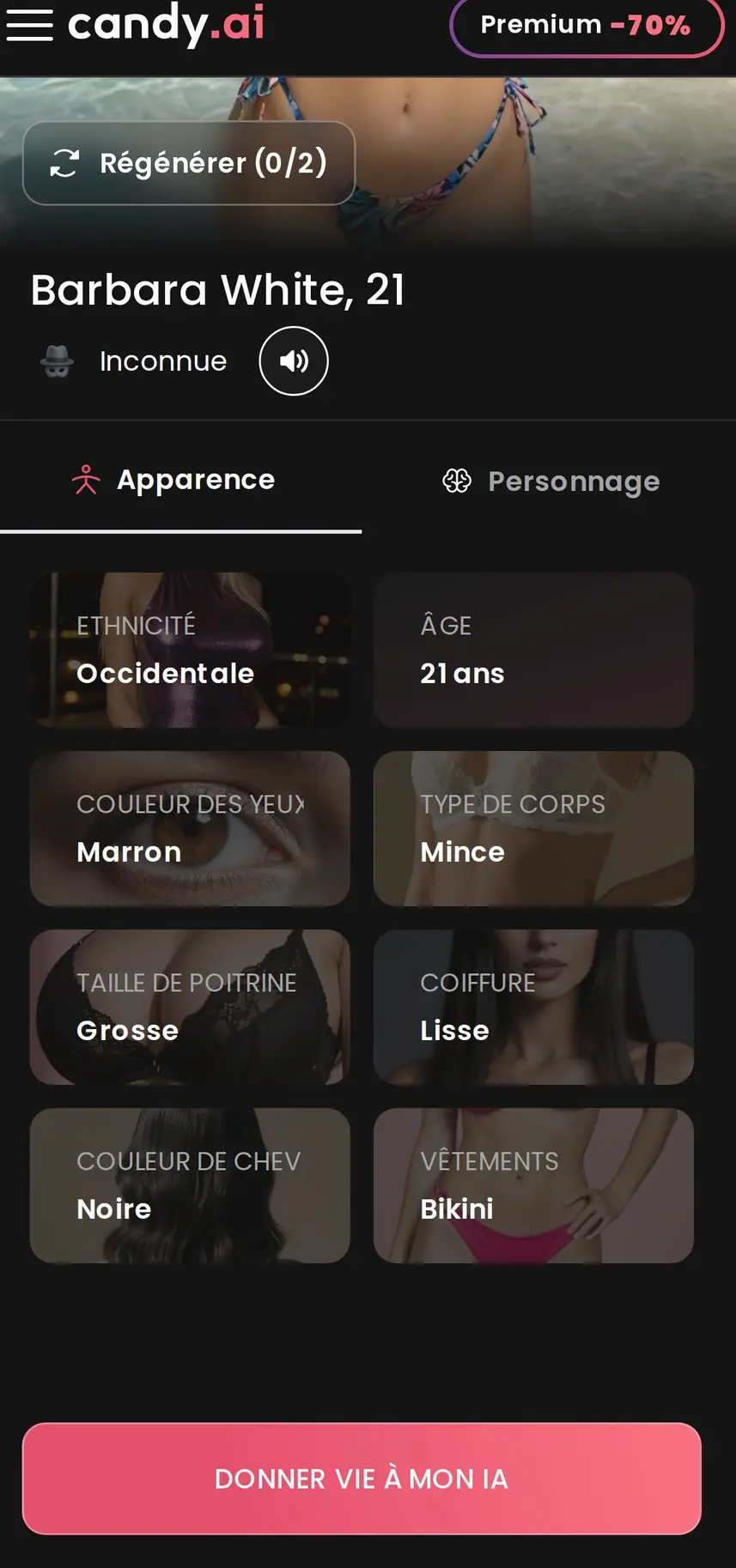
Our free account retained the companion we had already created when we reopened the creator. Its profile also showed the available picture regenerations, so you can refine the visual direction without starting the whole setup again.
A free account gives you a simple way into Candy AI: create an account, browse characters and begin exploring the experience. Free messages are counted across the account rather than separately for each companion.

Once our free messages had been used, the chat displayed a blurred private video and a prompt to unlock it and continue. Premium adds unlimited text messages, monthly tokens, personal companion creation, adult images and videos, live-action features, voice options and calls. The lowest monthly level comes with a longer commitment, while shorter commitments cost more per month.
Candy AI can be used in several languages, including English, French, German, Spanish, Portuguese, Italian, Dutch, Swedish, Danish, Norwegian, Finnish, Japanese and Polish. We switched our phone session to French, and the menus, companion profiles and new first messages followed that language. Existing conversations remain in their original language.
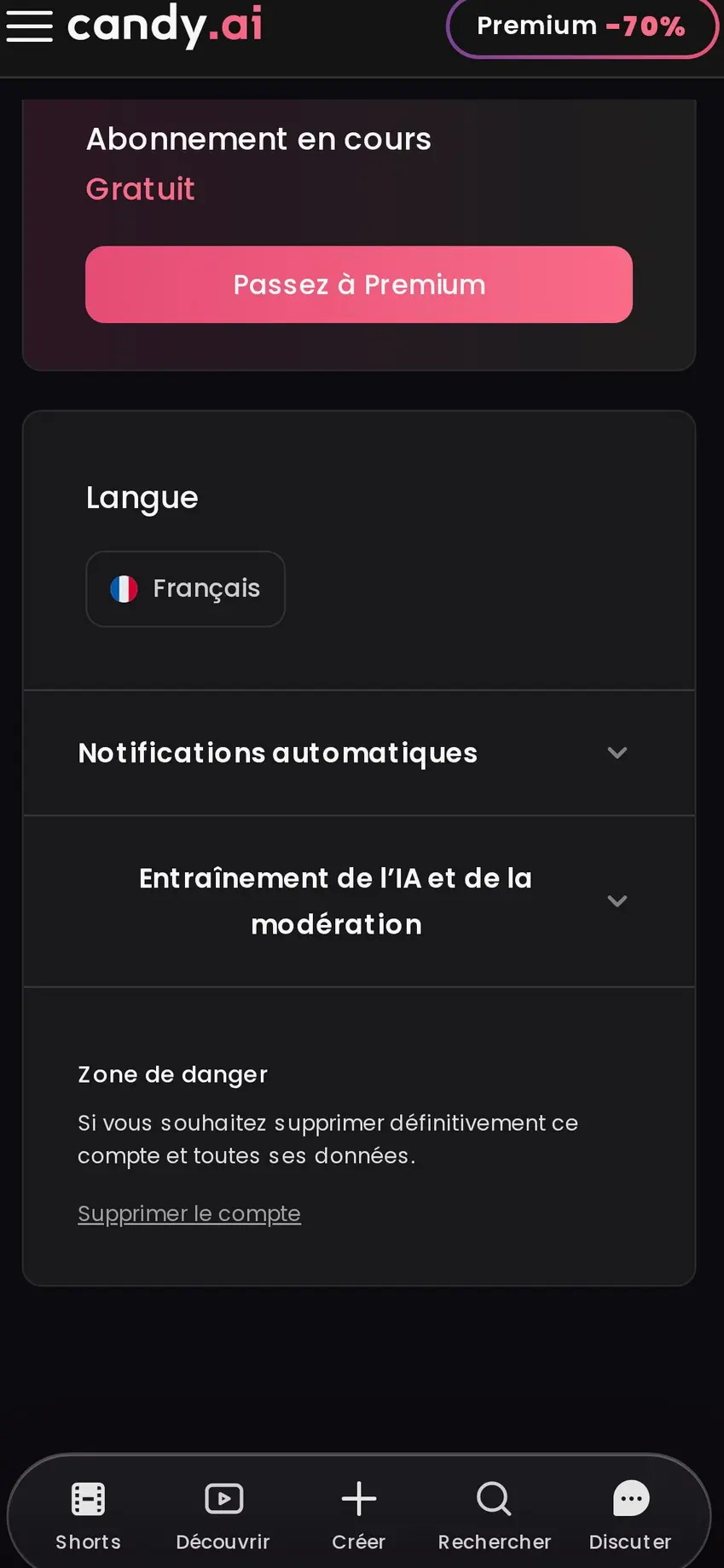
Settings include automatic notifications, so you can choose whether the service alerts you. They also include a control for keeping chats out of AI and moderation training, plus permanent account deletion. If you subscribe, cancellation is available at any time through settings. Billing is discreet and uses the neutral descriptor EverAI.
For Candy AI Android and Candy AI iOS use, open the service in your mobile browser and sign in to the same account. Your conversations, chosen companions and account settings travel with you, while desktop gives you the same direct access when you want a larger screen.
The phone version keeps discovery, companion creation and chat close at hand. If you want a familiar app-like shortcut, add the site to your phone’s home screen through your browser; no separate installation is required. Start with the free account and see whether the conversation style fits you.
Candy AI makes the browser-first companion experience feel immediate on both phone and desktop. Start free, browse a character catalogue or build your own, and see how its story-led chats, memory and media features suit you. It is especially compelling if you want adult-friendly AI companionship without a separate app installation.
Try Candy AI for freeNo. Candy AI works directly in a desktop or mobile browser, so you can sign up, log in, choose a companion and chat without installing anything.
Yes. Open Candy AI in your phone browser and use the same account as on desktop. The mobile layout includes navigation for discovery, creation, search and chats.
You can create a free account, browse companions, start chatting and keep one companion you have created. Free messages are counted across the account.
Premium includes unlimited text messages, monthly tokens, companion creation, adult images and videos, live-action features, voice options and calls.
Yes. Language settings apply to the site and future conversations. Existing conversations stay in the language in which they began.
Yes. Subscriptions can be cancelled at any time in the settings.